See which ads work.
Then see why.
shmetrics puts every creative in your Meta accounts on one wall with its numbers, breaks down why the winners win, and tells you what changed overnight.





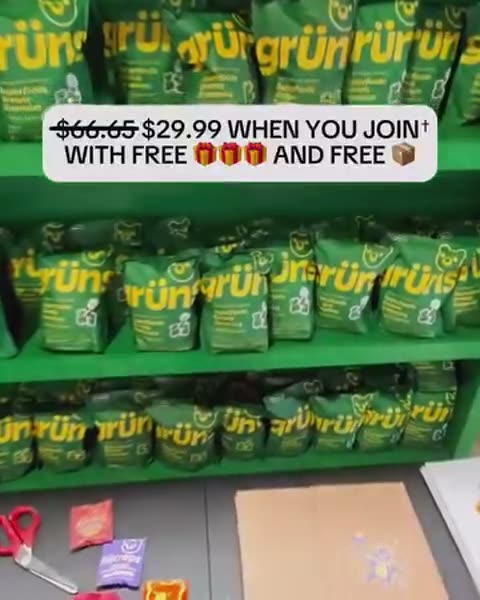


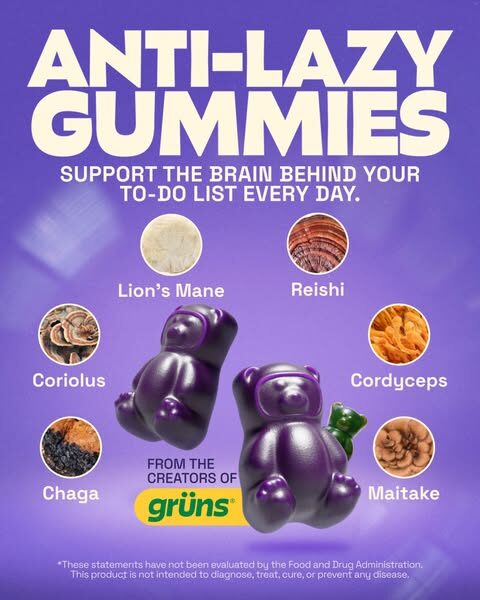







Every creative, with its numbers on the glass. Ads from Grüns, Bloom Nutrition and Obvi, with sample numbers.
DRAG TO EXPLOREYour media buyer reads a spreadsheet. Your designer scrolls a feed. Your client wants a PDF. shmetrics puts all three in front of the same numbers, so everyone finally agrees on what to make next.
From ad account to next brief, in four steps.
Connect
Sign in, connect Meta and choose the ad accounts to bring in. shmetrics only reads.
Sync
The last 90 days come in first, then every account keeps itself fresh automatically.
Understand
New creatives are analysed for hook, style and structure, and lined up against what they earned.
Act
An inbox of what changed, briefs for the next batch, and live reports for your clients.
Every account at a glance.
Spend, return and targets for every account on one screen, heat-mapped so the outliers stand out. Set targets per account and the accounts missing them are flagged at the top.
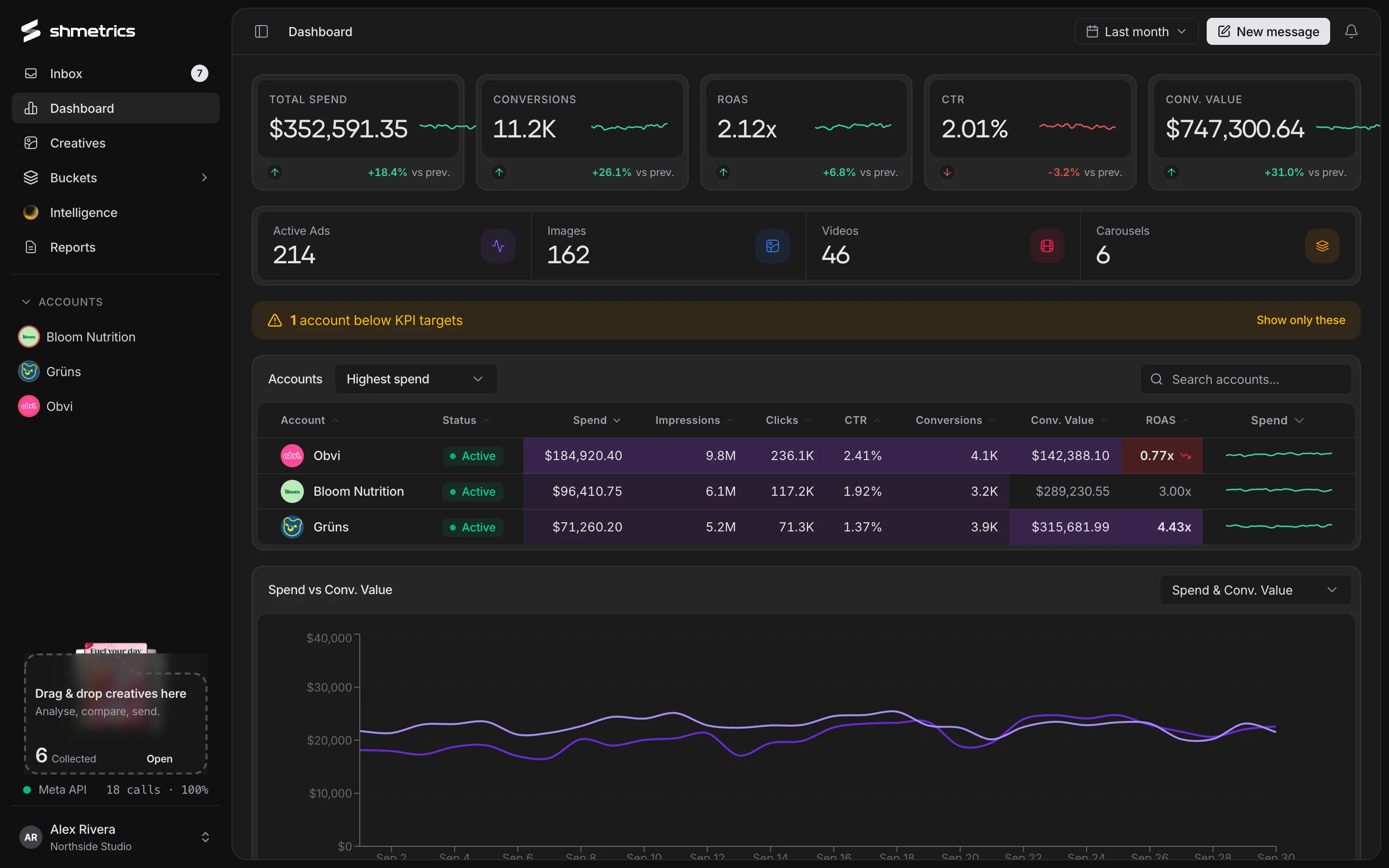
KPI cards you arrange
Choose, rename and reorder the metrics at the top of the dashboard.
Heat-mapped table
Sort by spend, worst ROAS, worst CTR or target misses first.
Any date range
Presets from today and yesterday through this month, last month and the last 90 days.
Your accounts, read for you.
Several times a day, shmetrics checks every account for fatigue, budget pacing, delivery problems, target misses and breakout winners, and files what it finds in an inbox: ranked, explained, and linked to the ads involved.
How the inbox works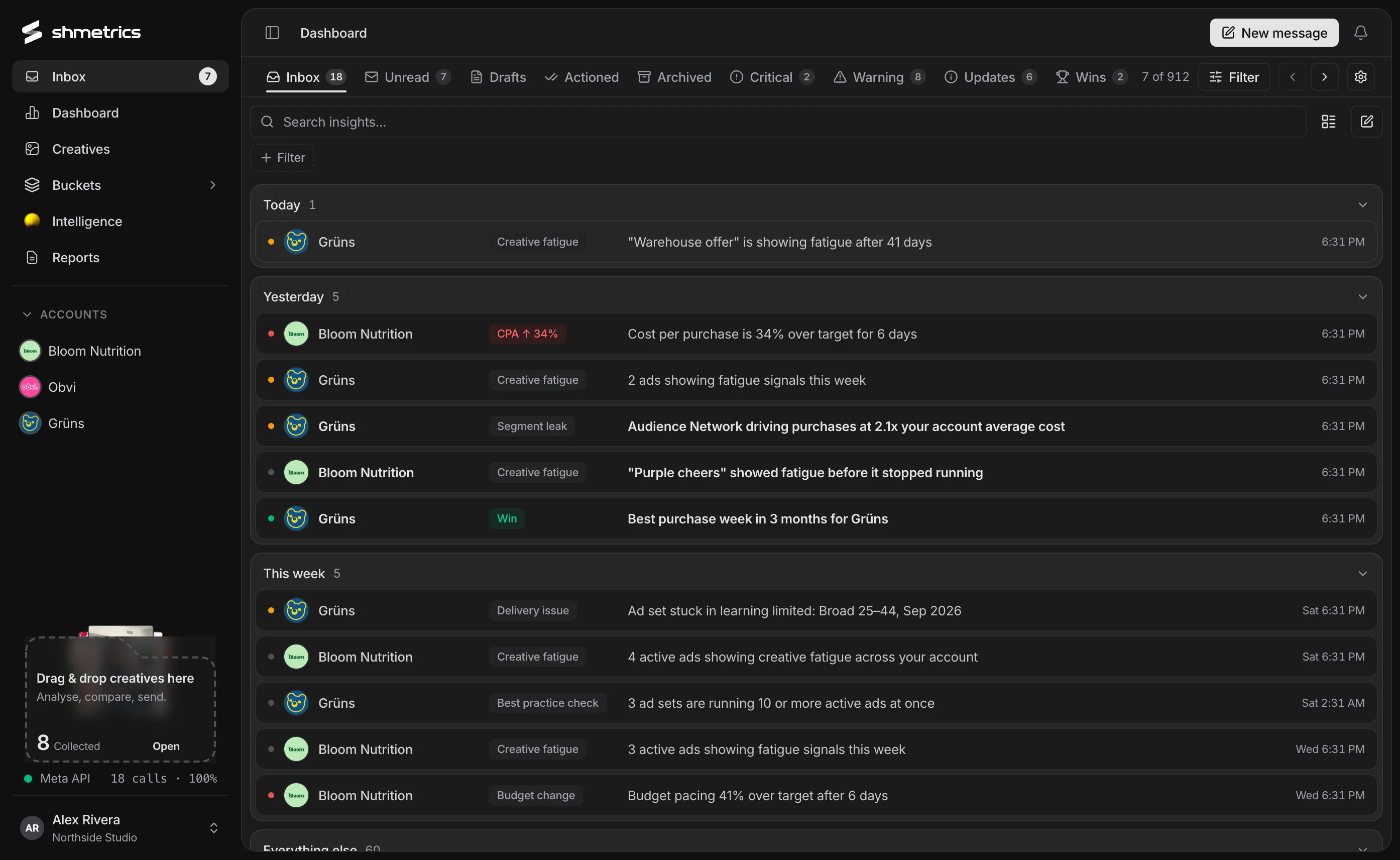
Know which creatives carry the account.
Every ad in an account on one wall, ranked by the metric you pick. Filter by format, status, aspect ratio, campaign or ad set, and merge the same creative across ad sets into one tile.
Explore the creative wall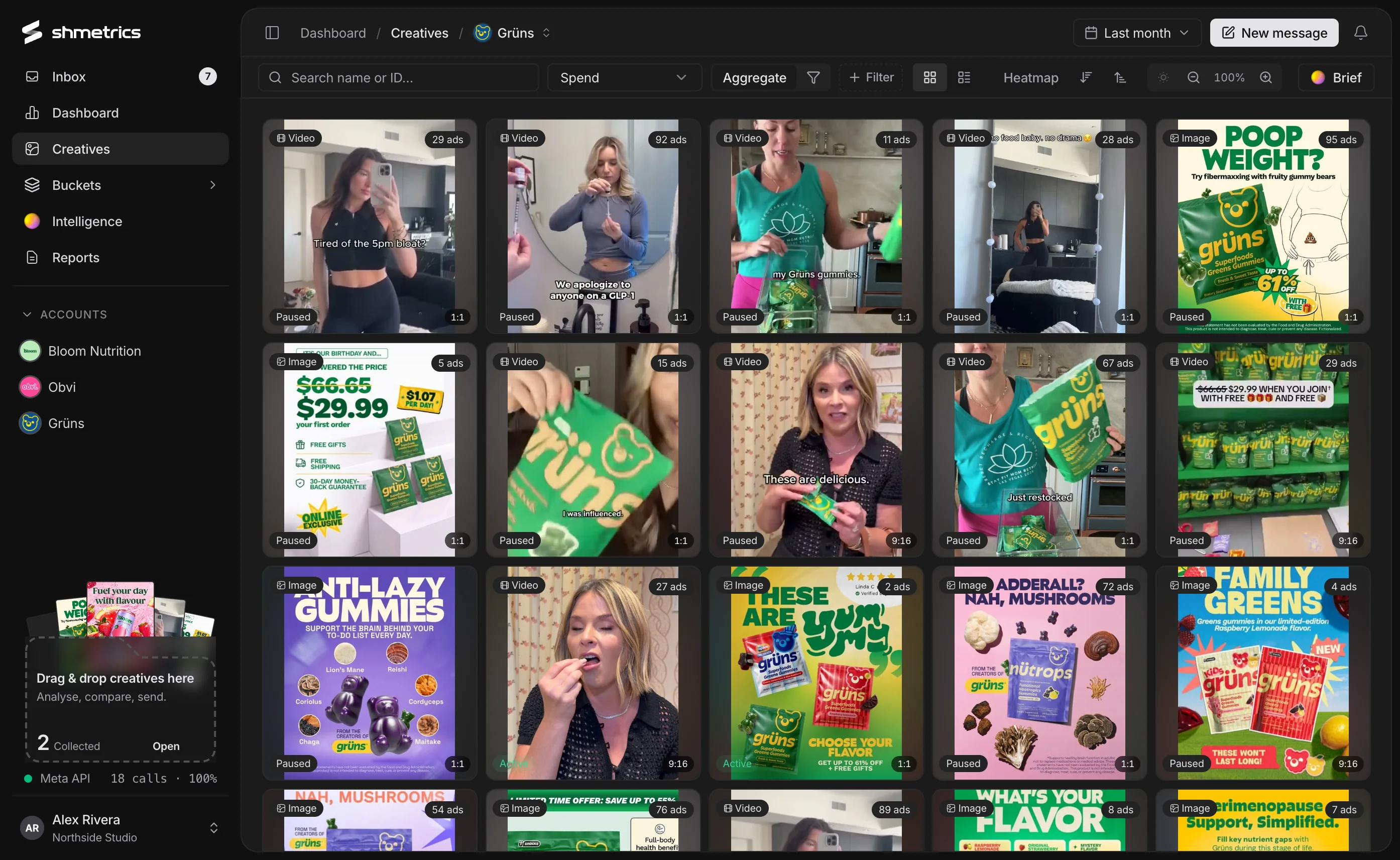
Then find out why they work.
New creatives are analysed automatically. Each one gets its hook, content style and theme, what a viewer sees and reads in the first three seconds, and for video a timestamped beat sheet, along with why it works and what to try next.
See Creative Intelligence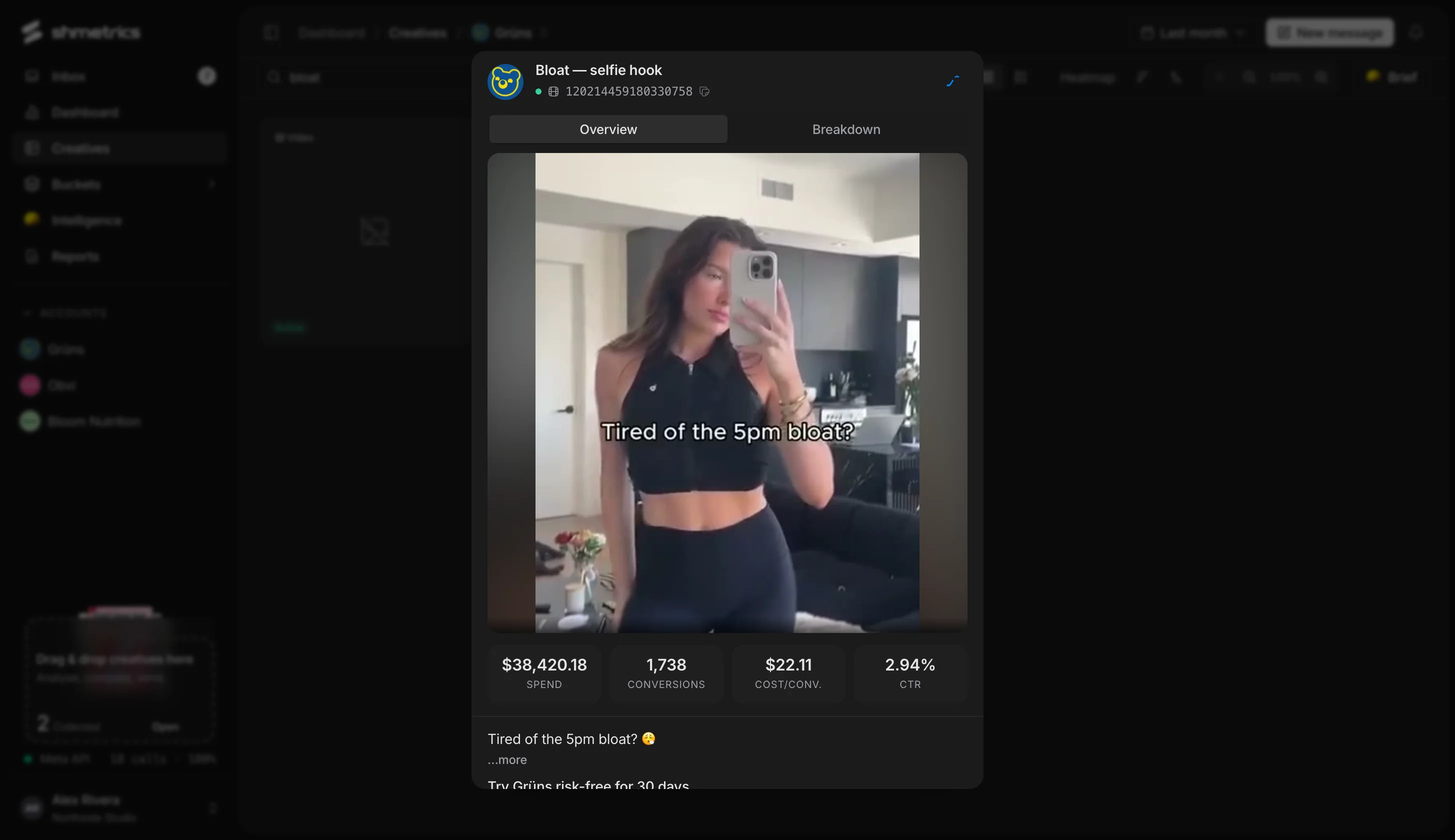
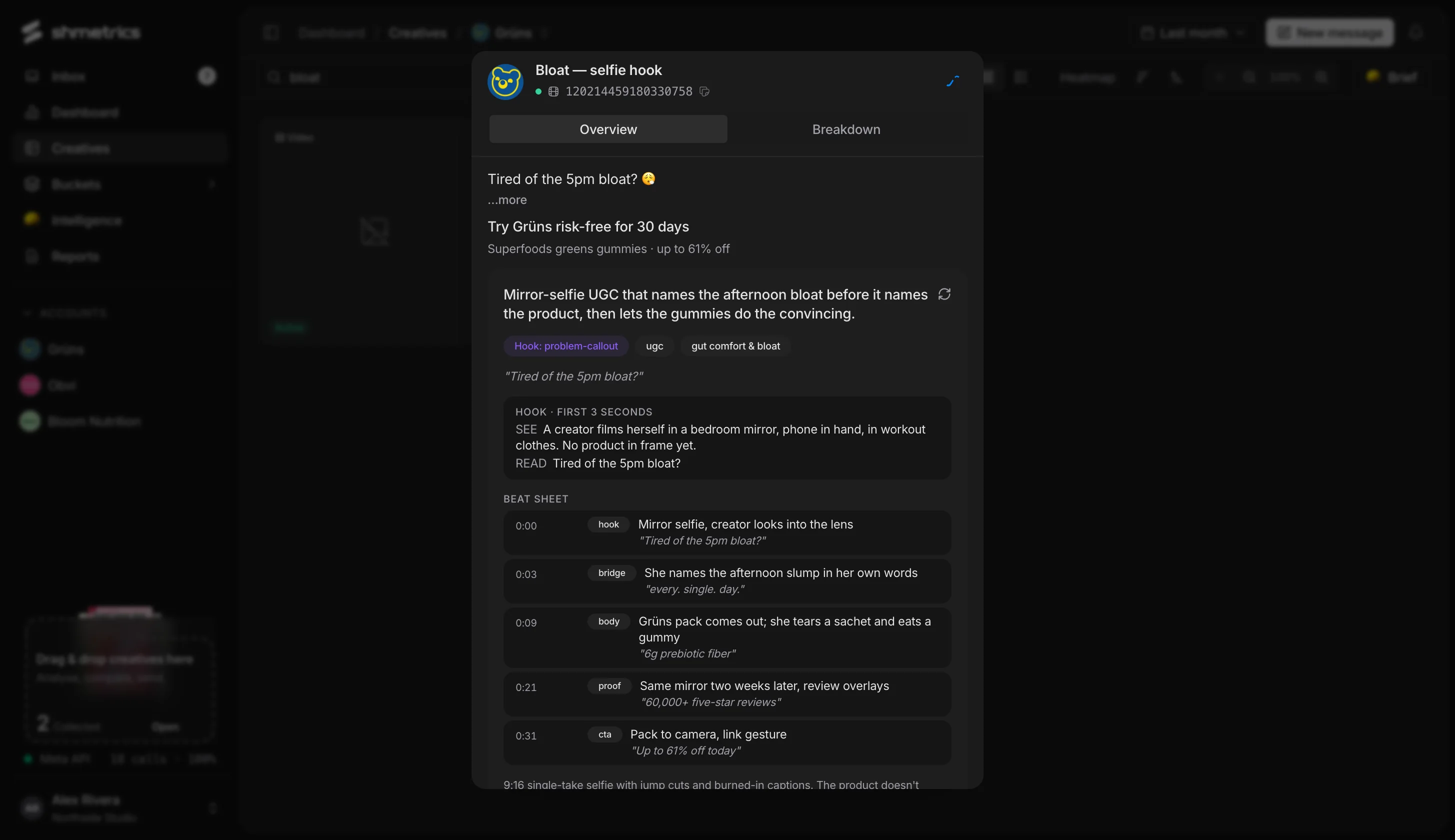
Collect ads. Compare them. Ask about them.
Drag creatives into a bucket from anywhere in the app, across accounts if you like. Compare them in one table, export it, share the bucket with a teammate, or ask a question that is answered from just those ads.
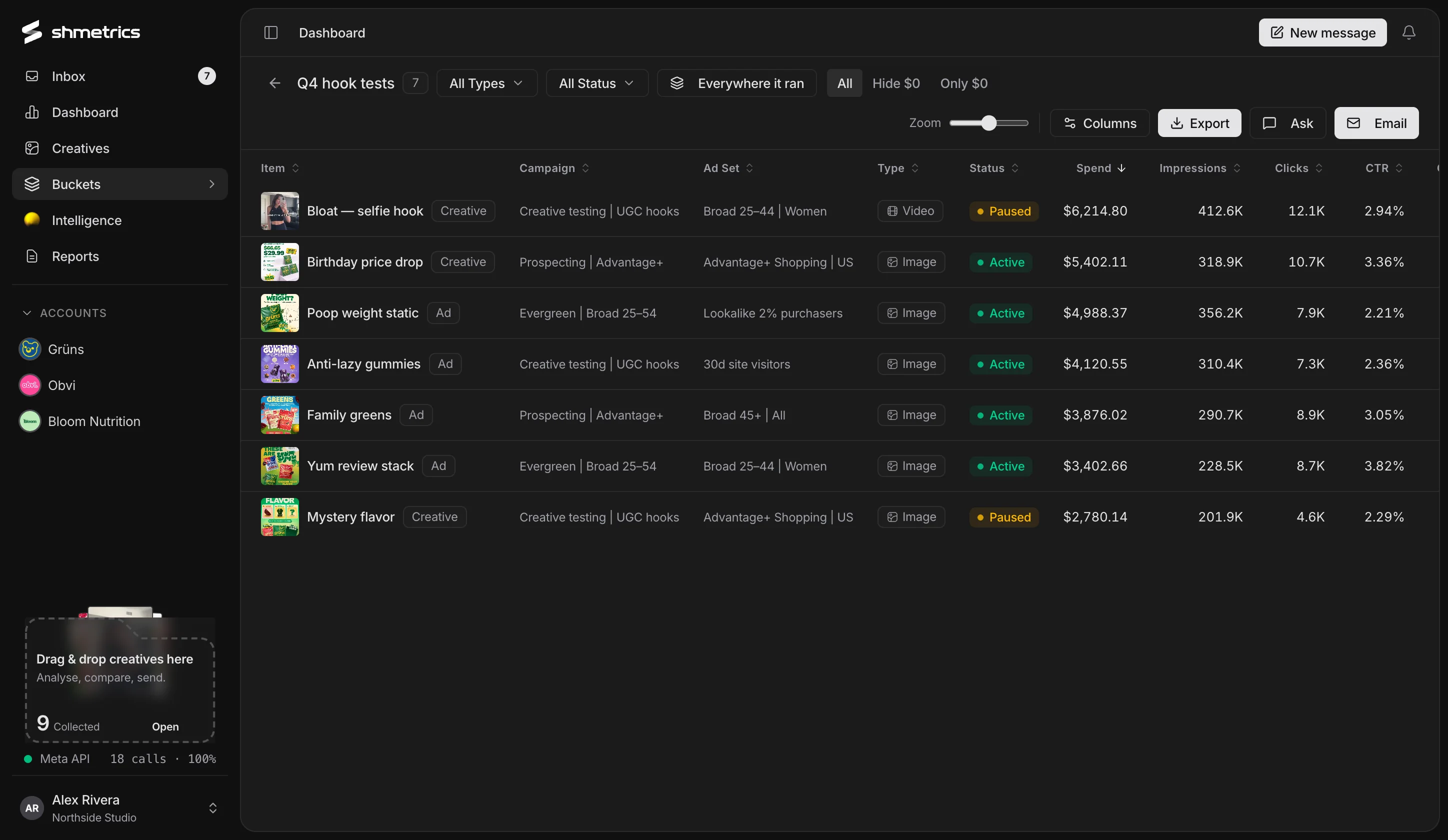
Reports your clients actually open.
Share a live report on a link. Clients sign in from an email with no password, pick their own dates if you let them, and always see the latest numbers and the creatives behind them.
See client reports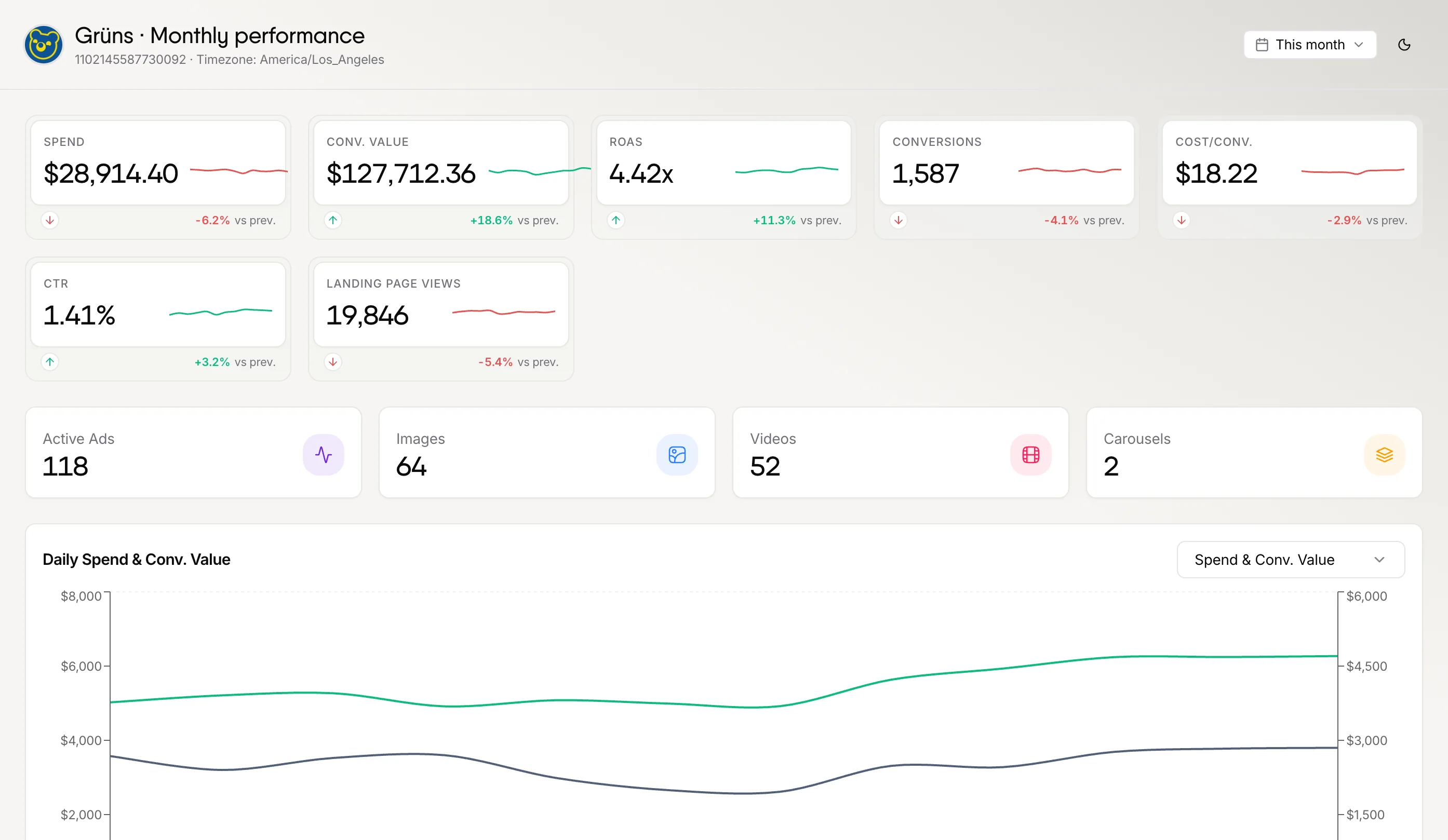
One workspace for everyone who touches the ads.
Media buyers
Every account against its targets on one screen, an inbox of what changed, and a one-click jump to the right ad in Ads Manager.
Designers
Every creative in an account on one wall, with the hook, style and beat sheet of each one written out.
Agencies
All your client accounts in one workspace, people assigned per account, and live reports on a link.
Founders
Spend, return and your best ads in one place, without learning Ads Manager.
Careful with your accounts. Honest with your numbers.
Read-only
shmetrics never changes anything in Ads Manager. It reads, and links you to where the fix happens.
Numbers from Meta
Metrics come straight from Meta’s reporting. AI describes creatives and writes up findings.
Your AI budget
Use the built-in key or your own Anthropic or OpenAI key, with a monthly cap you set.
Your data, removable
Disconnect and have your tokens, cached data and creatives deleted.
Questions
Which ad platforms does shmetrics support?
Meta: Facebook, Instagram and Audience Network. We went deep on one platform first; the creative analysis, fatigue checks and breakdowns are all built around Meta’s data.
Can shmetrics change my campaigns?
No. shmetrics only reads from Meta and never changes anything in Ads Manager. When something needs fixing, it links you to the exact campaign, ad set or ad.
Do the AI features make up numbers?
No. Metrics come from Meta’s reporting. AI describes what is in a creative and writes up findings; the figures are pulled from your data.
Which AI does it use, and who pays for it?
Analysis and chat run on Anthropic and OpenAI models. Use the built-in key, or add your own key in settings, and set a monthly budget cap either way.
Can my clients see their reports without an account?
Yes. Invite them by email; they sign in from a link we send them, with no password. Reports stay live, so there is nothing to re-export each month.
Stop guessing which ads to make next.
Connect a Meta ad account in a couple of minutes. shmetrics only reads; it never changes a campaign.